When a plan ends
What happens when a paid plan is cancelled or a payment stays unpaid: the company goes back to Free, nothing is deleted, and what you can still do if you are over the Free limits.
A paid plan ends in two ways. The owner cancels it, and the paid period runs out. Or a payment stays unpaid for 14 days. Either way the company goes back to the Free plan. Nothing is deleted. Your items, folders, jobs, history, photos, orders and people are all still there.
What happens next depends on how much you have.
If you are within the Free limits#
The Free plan holds 100 unique items, 1 person, 1 location and 2 active jobs at a time. If you have no more than that, the company simply works as a Free company. You may see a Pro badge on screens that need Pro. Nothing else changes.
If you are over the Free limits#
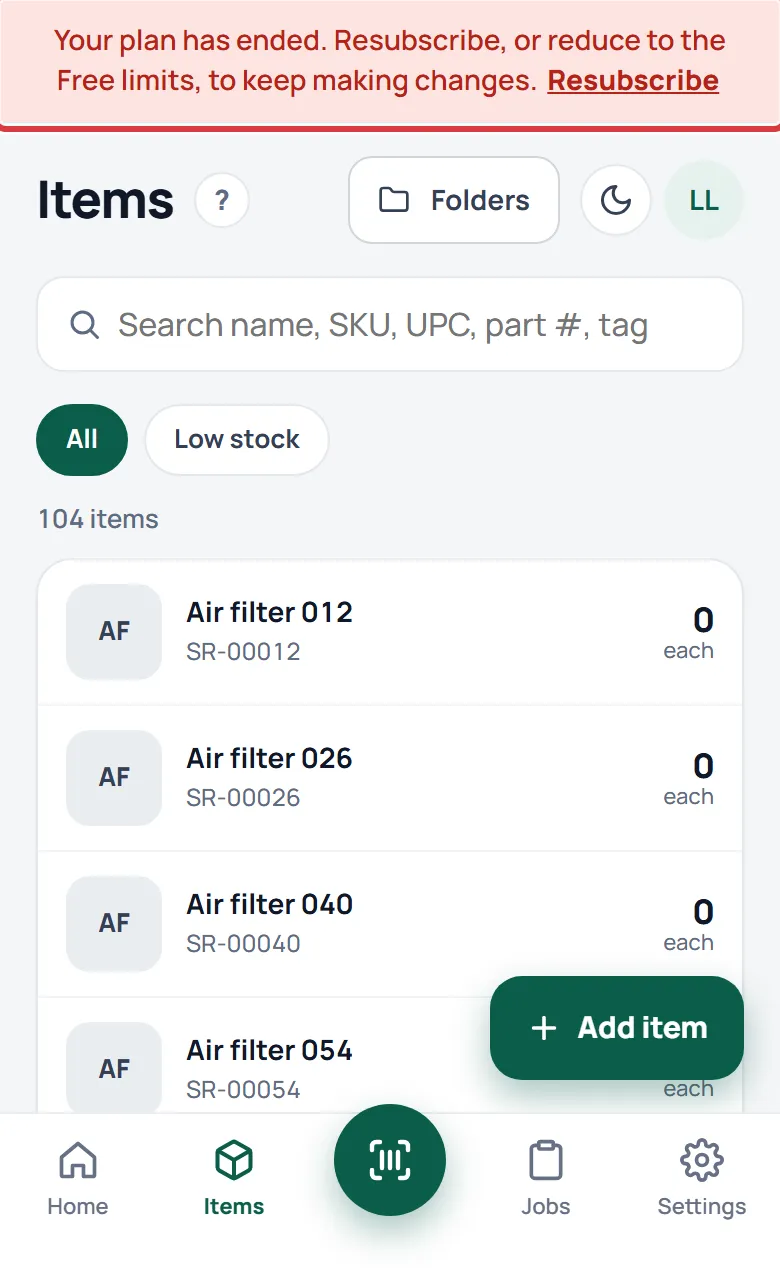
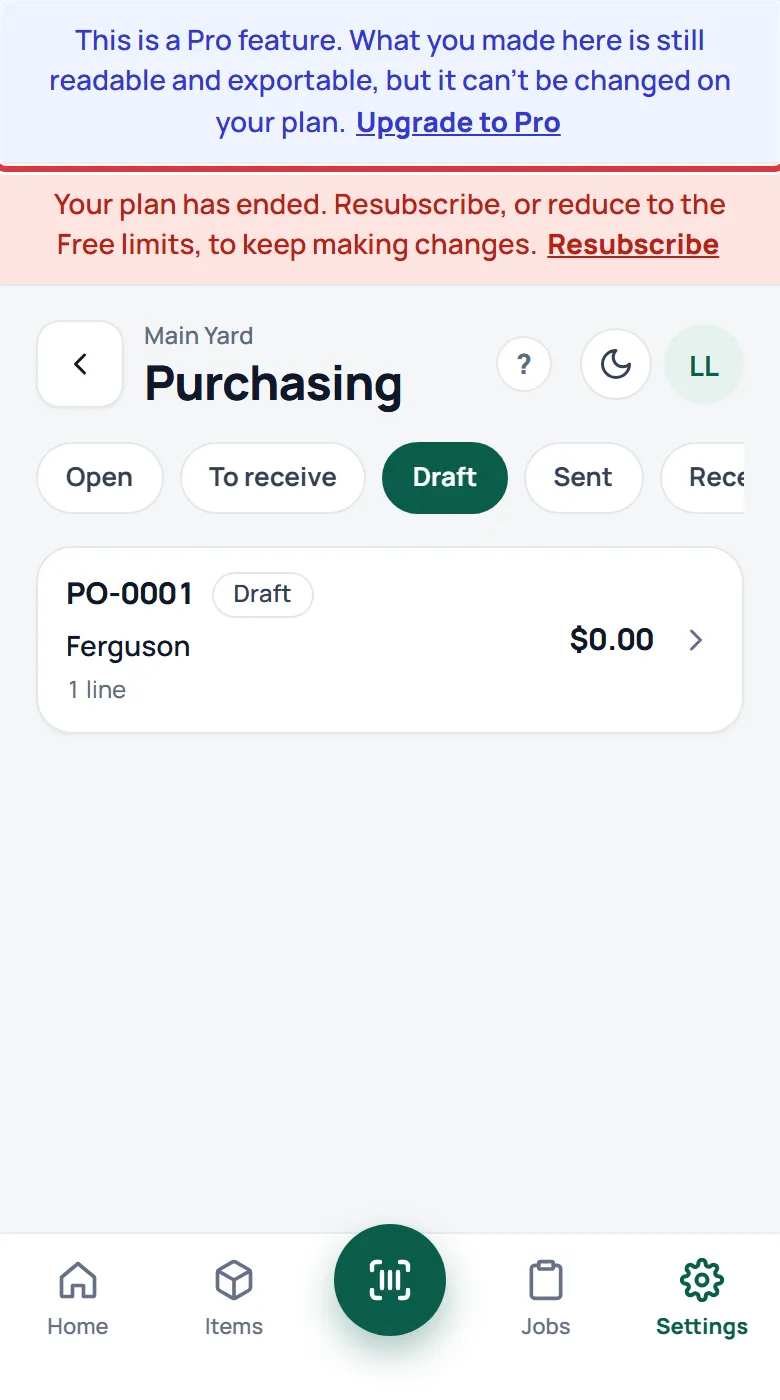
If you have more than the Free plan holds (more than 100 items, more than 1 person, more than 1 location, or more than 2 active jobs), the company becomes view and export only. A red banner shows on every screen:
"Your plan has ended. Resubscribe, or reduce to the Free limits, to keep making changes."
The owner sees Resubscribe in the banner. Everyone else sees "Ask your owner."
What still works#
- Looking at everything, and searching.
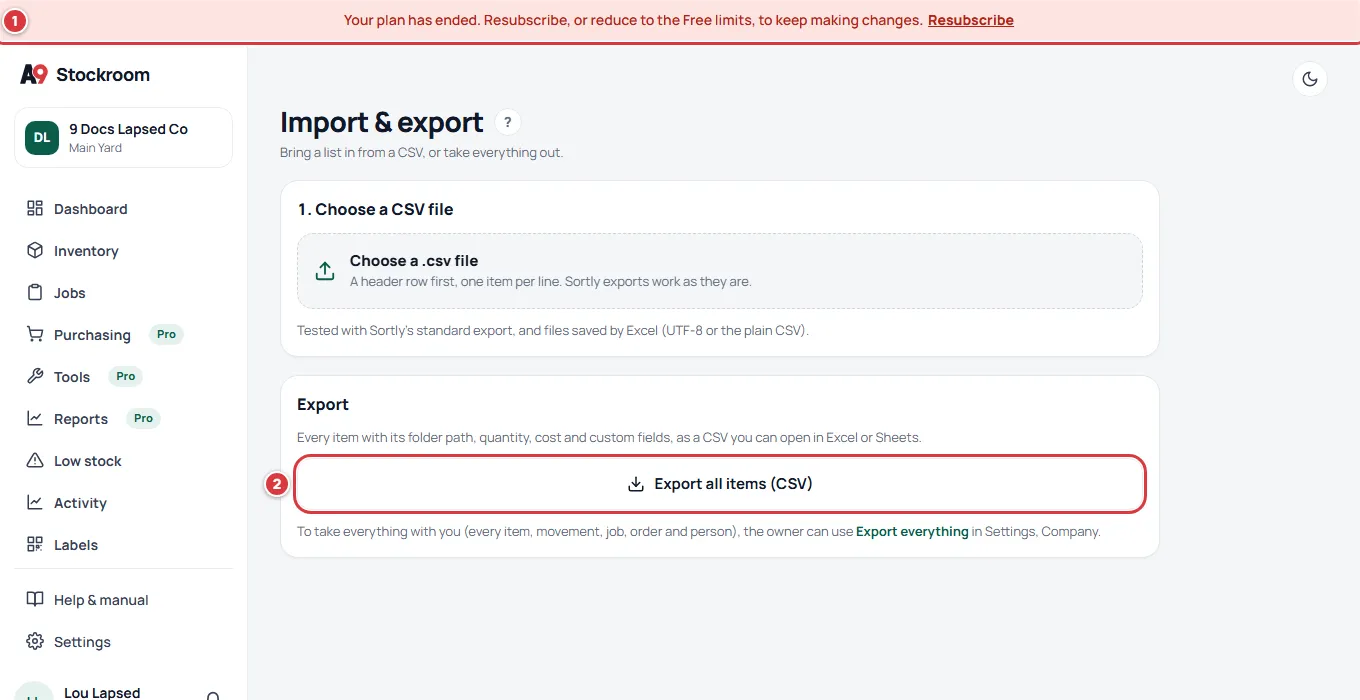
- Taking your data out. Export everything and the Export all items (CSV) button always work, on every plan, and so do the other CSV buttons. See Getting your data out.
- Getting back under the limits. Archiving an item, closing a job, archiving or deleting a location, removing a person and taking back an import you made in the last 24 hours all still work.
- Manage billing and Resubscribe, for the owner.
What stops#
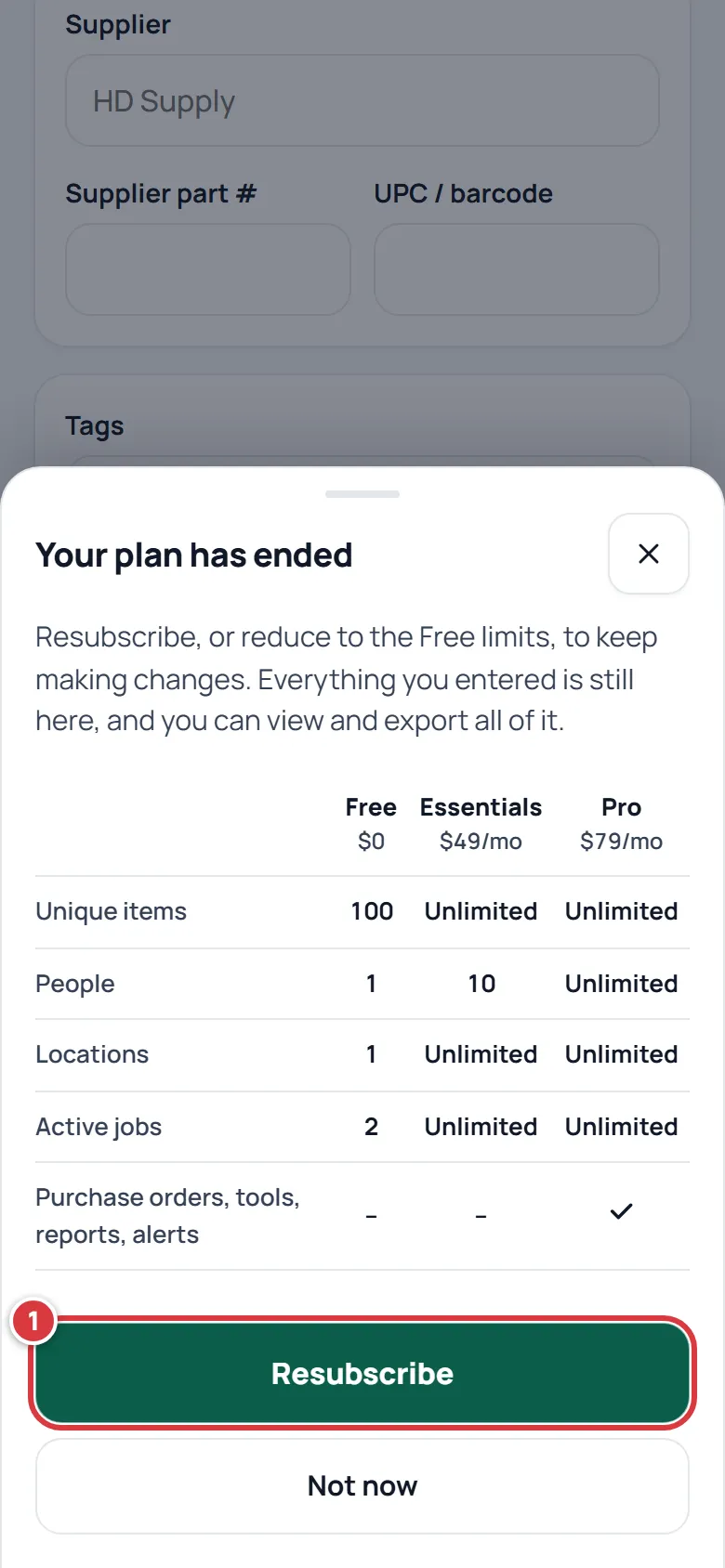
Anything that adds or changes things stops: new items, taking, returning and counting stock, starting jobs, orders, new people, imports and settings. If someone tries, a box opens that says Your plan has ended and offers Resubscribe (to the owner) or Ask your owner to upgrade (to everyone else), and Not now. Nothing is half-saved.
Changes that were made on a phone with no signal and send after the plan has ended wait under Needs attention. See Working without signal.
Get back to normal#
There are two ways.
- Resubscribe. The owner taps Resubscribe in the banner, or opens Settings, then Plan, and taps Resubscribe. Pick a plan and follow Upgrading and billing.
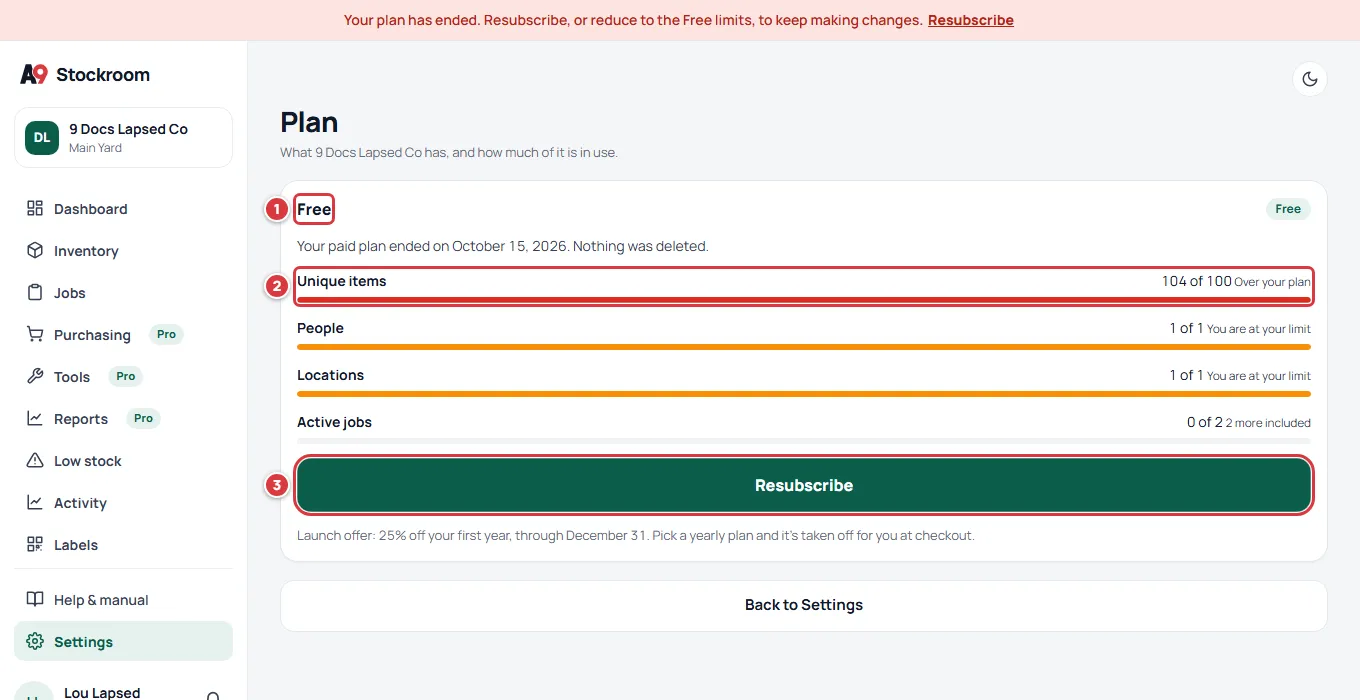
- Reduce to the Free limits. Archive items you no longer use, close finished jobs, archive extra locations and remove people until you are at or under every limit. Archived items and locations do not count. As soon as you are under all four limits the banner goes and the company is a normal Free company again.
Settings, then Plan shows how far over you are: "Over your plan" beside each limit you have passed, and "Your paid plan ended on" a date. "Nothing was deleted."
Only the owner can sign in#
The Free plan holds one person. If more than one person is on the team when the plan ends, only the owner can sign in to work. Everyone else sees Your company's plan has ended, with the owner's name, and a Sign out button. They are not removed, and nothing they did is lost. When the owner resubscribes, or the team is back to one person, they sign in as before.
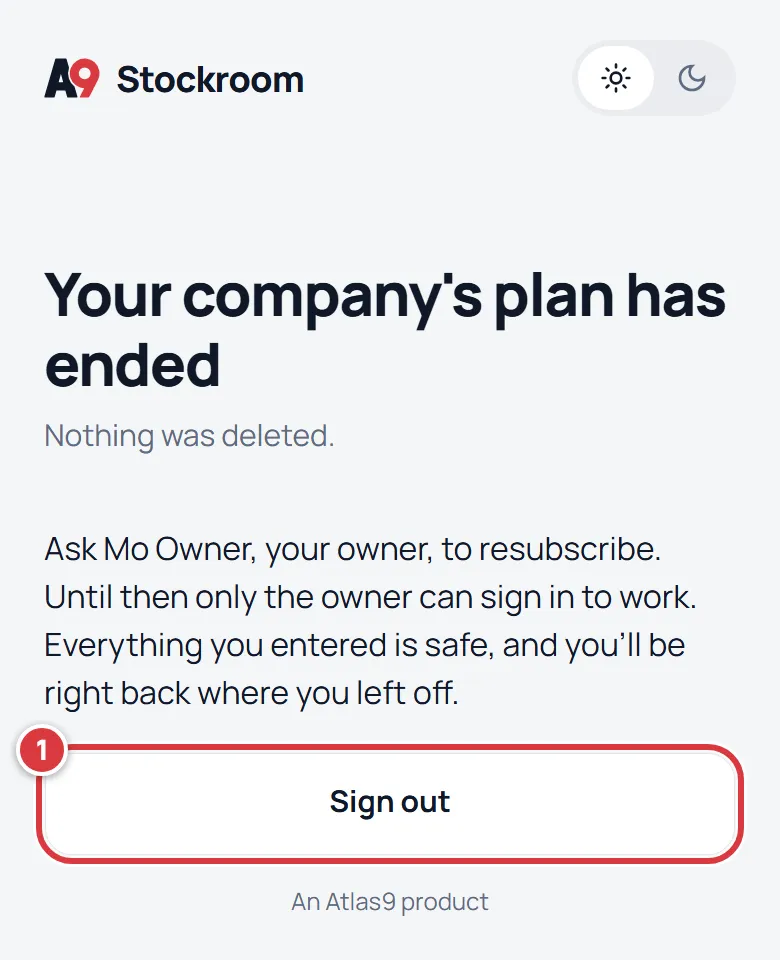
If you are the teammate, ask your owner to resubscribe.
Pro features after a plan ends#
Purchase orders, suppliers, tools and reports you made while you had Pro stay readable and exportable. They cannot be edited, and a blue note at the top says so: "This is a Pro feature. What you made here is still readable and exportable, but it can't be changed on your plan." The owner sees Upgrade to Pro in it.
If Atlas9 paused your company#
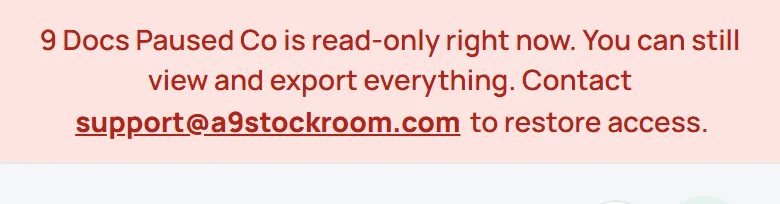
A company whose plan Atlas9 set up by hand is not billed through A9 Stockroom. If Atlas9 pauses it, it shows a different red banner: "… is read-only right now. You can still view and export everything. Contact support@a9stockroom.com to restore access." Everyone can look and export, and nothing can be changed. Write to support@a9stockroom.com.
Questions#
Write to support@a9stockroom.com and say what the banner or the screen says.